Quotation to Invoice
Open quotations, revise pricing, send approval documents and convert confirmed quotations into invoices.

Online BMO Accounting Helps SMEs Manage Quotation, Invoices, Cash Books, Purchases, Payments, Ledgers, Bank Reconciliation, Financial Reports And Malaysia e-Invoice From One Connected Cloud Accounting Platform That Can Be Accessed Anywhere.
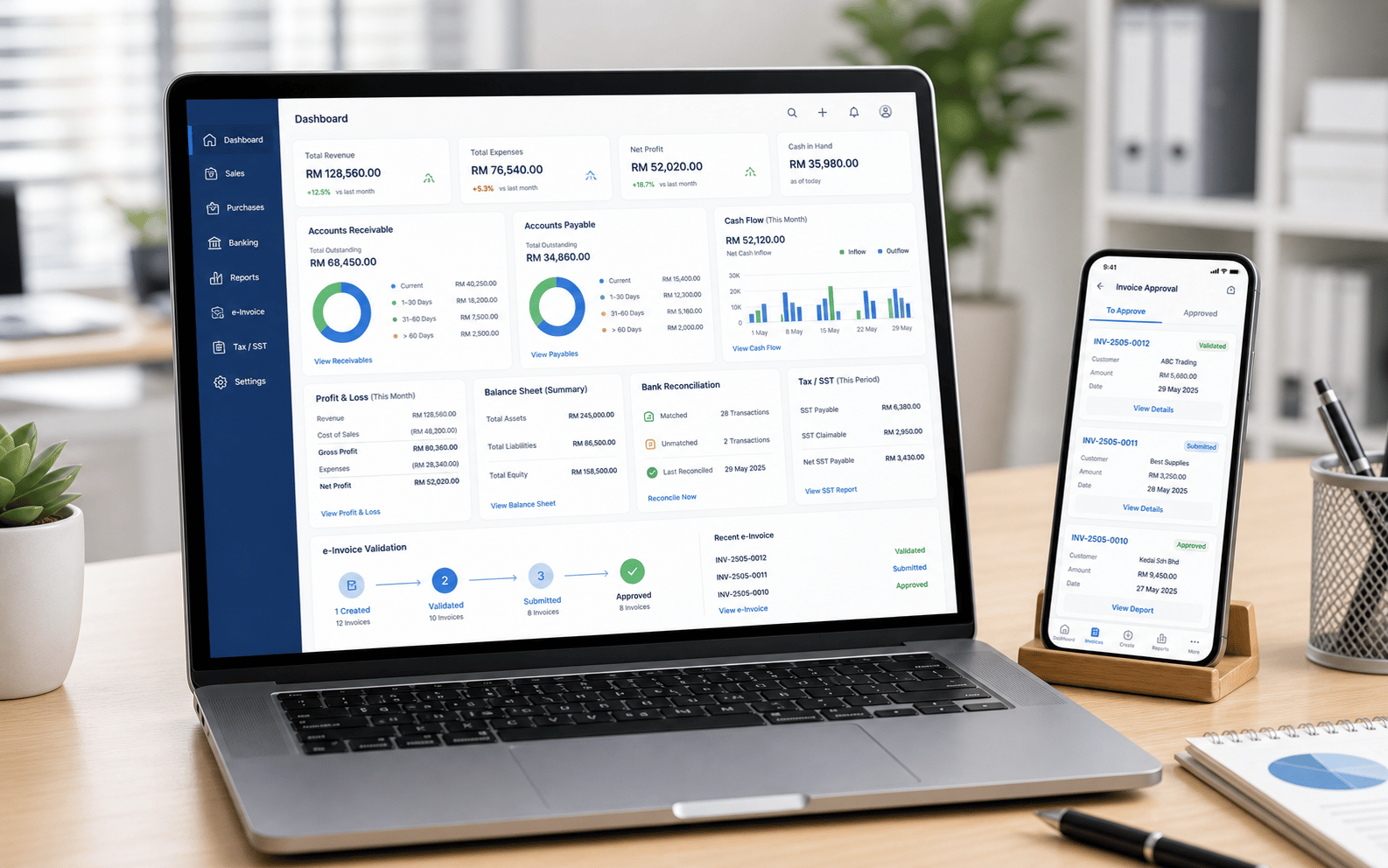
A Complete Accounting System Should Cover The Full Bookkeeping Cycle: Quotation, Invoices, Cash Book, Purchases, Payment, Ledger Posting, Bank Checking And Management Reporting.
Open quotations, revise pricing, send approval documents and convert confirmed quotations into invoices.
Create customer invoices, receipts, credit notes, debit notes and refund documents where configured.
Record receipts, payments, cash movement, bank entries and reconciliation details in the cloud.
Maintain chart of accounts, general ledger, journals, AR/AP, accounting periods and transaction records.
Malaysia e-Invoice creates a need for accounting, sales and tax documents to be easier to validate, store and retrieve. BMO Accounting is positioned as the online accounting layer for that workflow.
Submit invoice documents and keep accounting posting connected.
Group eligible sales into consolidated submission workflow where configured.
Handle adjustment documents with clearer audit history.
Keep validation and retrieval workflow close to accounting records.
For SMEs using POSMarket, the strongest value is connecting sales documents, e-Invoice and accounting so reporting starts from operational data instead of manual re-entry.
Prepare quote documents for customer approval and keep the sales opportunity traceable.
Convert confirmed quotation or POS sale into invoice, receipt and customer accounting record.
Submit normal or consolidated e-Invoice documents and track validation status where configured.
Use financial and compliance reports for owner review, accountant checking and tax preparation.
These are the practical modules customers usually expect from a cloud accounting system: sales documents, cash books, general ledger, compliance records and financial reports.
Create quotation documents before invoice stage, useful for B2B, service and approval-based sales.
Customer invoices, receipts, credit notes, debit notes, outstanding balances and debtor tracking.
Record money in, money out, bank movement, payment vouchers and cash/bank balances.
Track customer ageing, supplier ageing, receivables, payables and payment follow-up.
Compare payment records against bank activity so cash and ledger balances stay cleaner.
Configure tax codes, submit e-Invoice, prepare consolidated e-Invoice and keep invoice tax details traceable.
Online BMO Accounting should help Malaysian SMEs keep daily records complete enough for owners, accountants and tax reporting workflows. The page positions the software as practical, cloud-based and ready for e-Invoice operations.
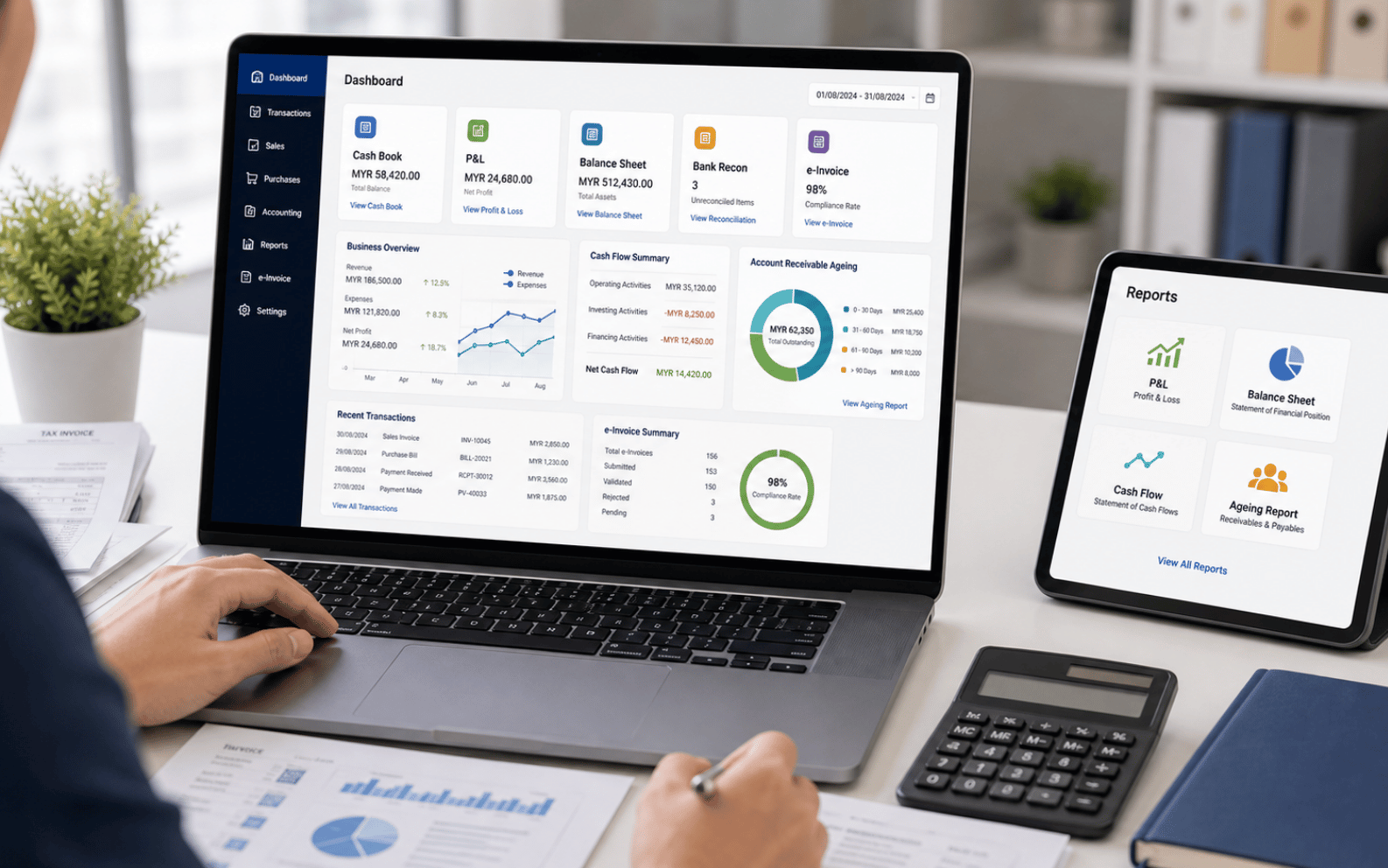
When sales, payment, tax documents and accounting reports are connected, the business owner gets cleaner numbers and less duplicate admin work.
Reduce retyping POS sales into accounting and reduce mistakes from disconnected spreadsheets.
Review profit, cash flow, receivables, payables and sales tax position from online reports.
Keep validated e-Invoice records, QR-linked documents and tax reports easier to retrieve.
Useful for retail, F&B, service and multi-outlet businesses with branch-level transactions.
Give accountants structured reports and records instead of mixed receipts and manual sheets.
Owners and finance users can access accounting records from the cloud, based on user permissions.
BMO Accounting can be positioned as the cloud place where owners, finance staff and accountants review the health of the company from updated accounting records.
Review income, cost, expense and profitability by accounting period.
Review assets, liabilities and equity for the business.
Track cash movement, cash book and bank activity for planning.
Match bank movement against accounting entries and payment records.
Review submitted, validated, pending and consolidated e-Invoice records.
Prepare tax-related summaries and invoice tax details where configured.
See outstanding invoices and receivable ageing for collection follow-up.
Review payable ageing and supplier payment planning.
Tell us your business type, branch count, invoice flow, SST/tax needs and whether POS should sync into accounting. We can recommend the right Online BMO Accounting setup.