No Local Database Setup
Start with a cloud-based POS Web flow instead of preparing a local server or database for each outlet.

BMO POS Web lets your team sell, order and manage daily operations from a browser. No local database setup, no heavy installation flow, and ready for QR ordering, item options, reporting and e-Invoice demand.
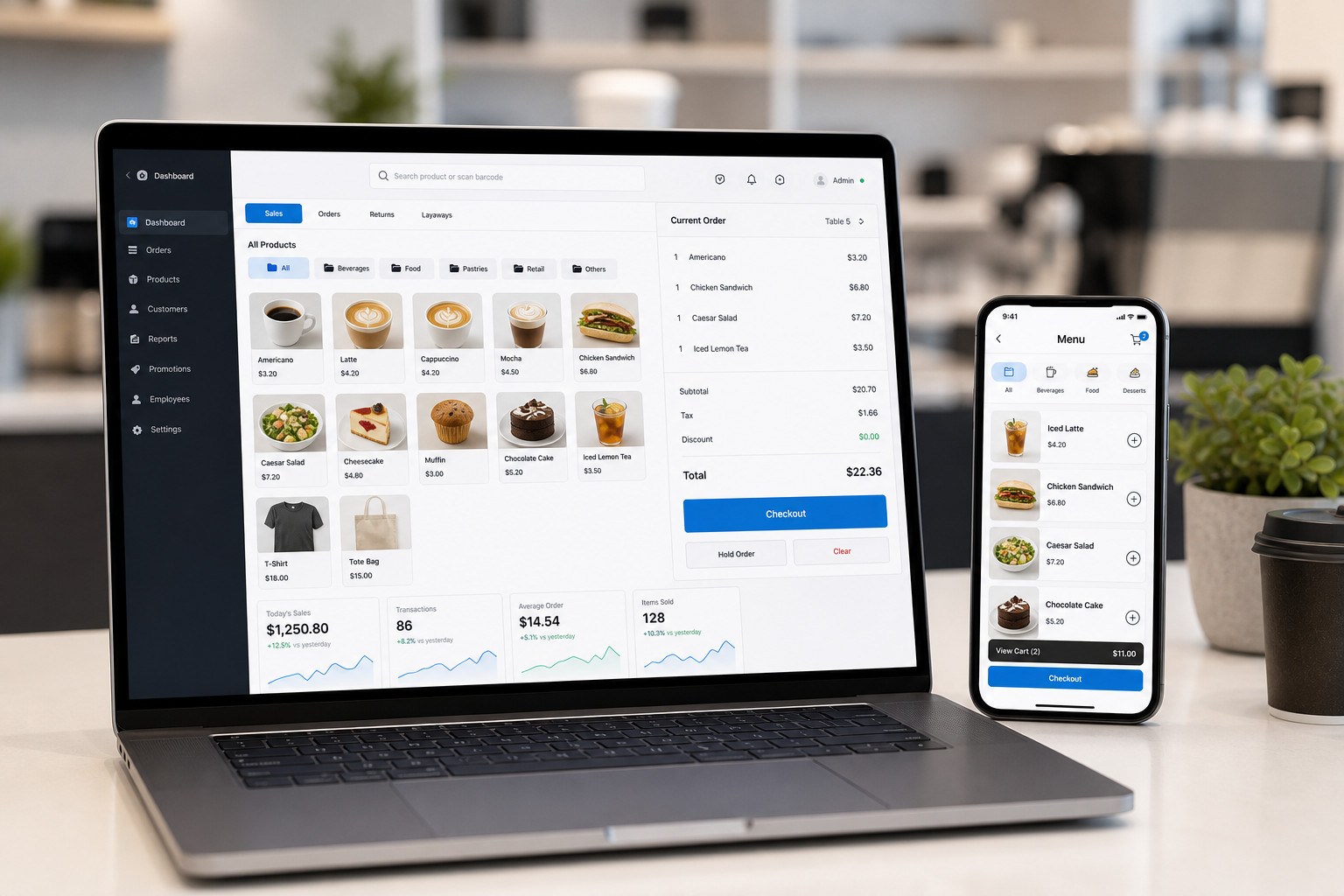
Modern buyers expect POS to be fast, connected and easy to manage remotely. POS Web keeps the daily workflow in the browser while cloud services handle the heavy back-office work.
Start with a cloud-based POS Web flow instead of preparing a local server or database for each outlet.
Use POS from a web browser for counter order entry, cashier work and daily transaction handling.
View operations through cloud reports, mobile report access and scheduled email report support.
Control branches, items, members, serial numbers and vouchers from cloud management tools.
POS Web can support the practical choices customers ask for at the counter or from QR ordering: add rice, add meal, choose add-ons, and select item sets.
Customers can order from their phone while staff continue handling POS Web at the counter or tablet station.
Staff access the POS through a browser and manage daily sales from the cloud system.
Customer scans QR, browses menu, chooses options or sets, then submits the order.
QR orders can be downloaded from cloud into the POS ordering workflow.
Owner reviews sales, outlet activity and receipt status through reporting tools.
POS Web supports customer self-ordering from mobile phone. Customers scan the QR on the table, make their orders, confirm them, then pay the final bill at the counter.
Customer sits at the table and scans the QR code using their own phone, with no app installation needed.
They browse the online menu, choose items, add options such as rice, meal sets, toppings or drinks, then review the cart.
The customer confirms and places the order. Staff can receive the order into the POS Web and preparation workflow.
After dining, the customer pays the bill at the counter, keeping checkout controlled by staff.
 Multiple people at the same table can order at the same time
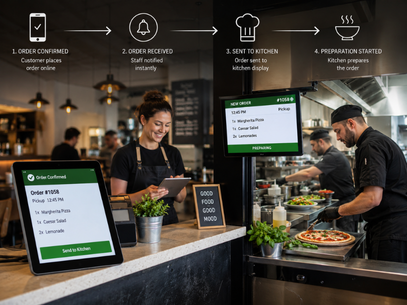 Confirmed orders can flow into staff and kitchen preparation
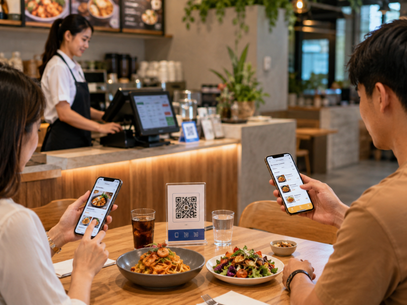 Customers order from their phone while the counter keeps control of payment
Staff spend less time walking table to table taking orders, especially during peak hours.
Customers review their own cart before placing the order, helping reduce wrong item or missed option mistakes.
More than one customer at the same table can scan and order, useful for friends, families and food court-style dining.
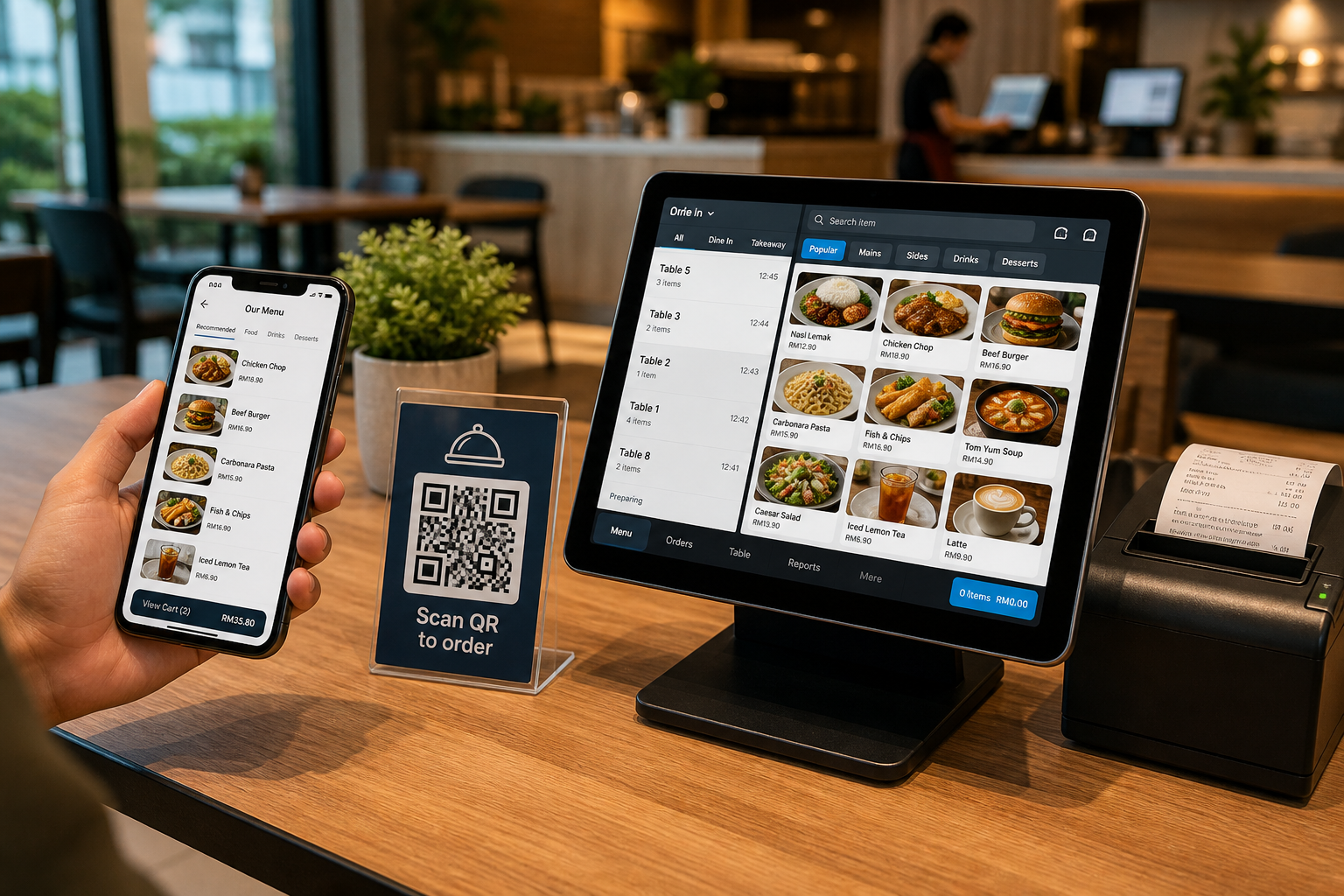
BMO POS Cloud features let owners manage outlet data and reporting over the internet. POS Web brings that cloud-first expectation into the daily selling experience.
When customers place orders from the table QR page, the kitchen can see new orders on a tablet, complete the whole order, or mark items complete one by one.
New table QR orders can appear in the kitchen notification page so staff know what to prepare next.
Kitchen staff can mark a full table order complete when every item is ready.
The right panel helps staff prepare by item quantity, then mark each item complete as it is finished.
The strongest fit is any business that wants browser access, cloud reports, QR ordering, and less technical setup at each outlet.
Let customers order from phones while the team handles counter orders, item options, sets and receipt status.
Cloud access helps temporary counters avoid heavy database setup while still keeping sales and reports connected.
Use cloud control, reporting and branch management for owners who do not sit inside every outlet.
POS Web can fit with the BMO online e-Invoice demand workflow. When customers demand an e-Invoice from the web page, the POS can be notified and the receipt can be excluded from consolidated invoice reporting.

Tell us your outlet type, menu style and cashier flow. We can recommend the right POS Web bundle and confirm any special option workflow before setup.