Scale connected to POS
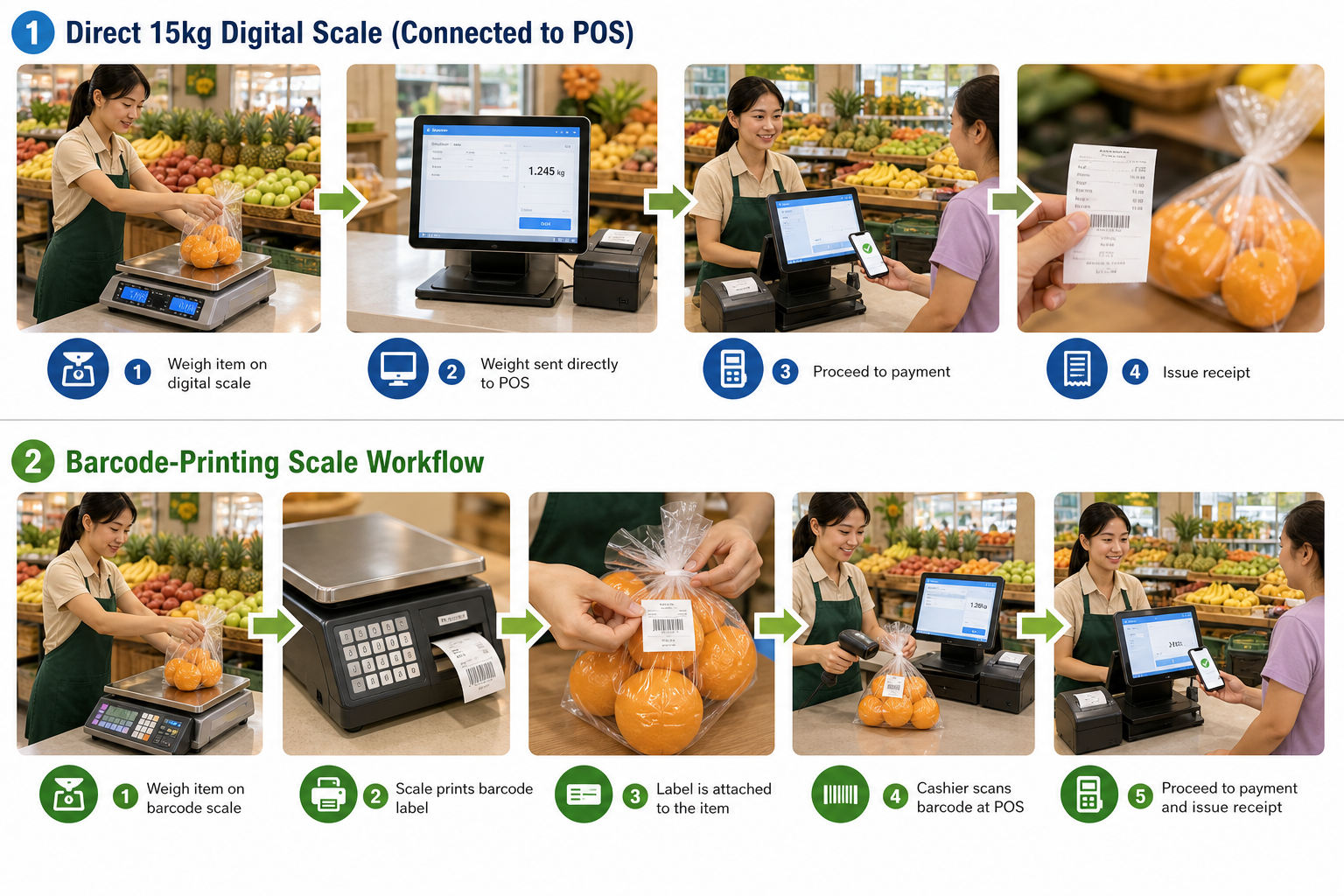
Connect a normal 15kg digital weighing scale to BMO POS so cashier can get the item weight during checkout.

BMO Fresh Market POS is suitable for grocers, fruit shops, fresh food shops and markets that sell weighted products using direct digital scale connection or barcode-printing weighing scale workflows.
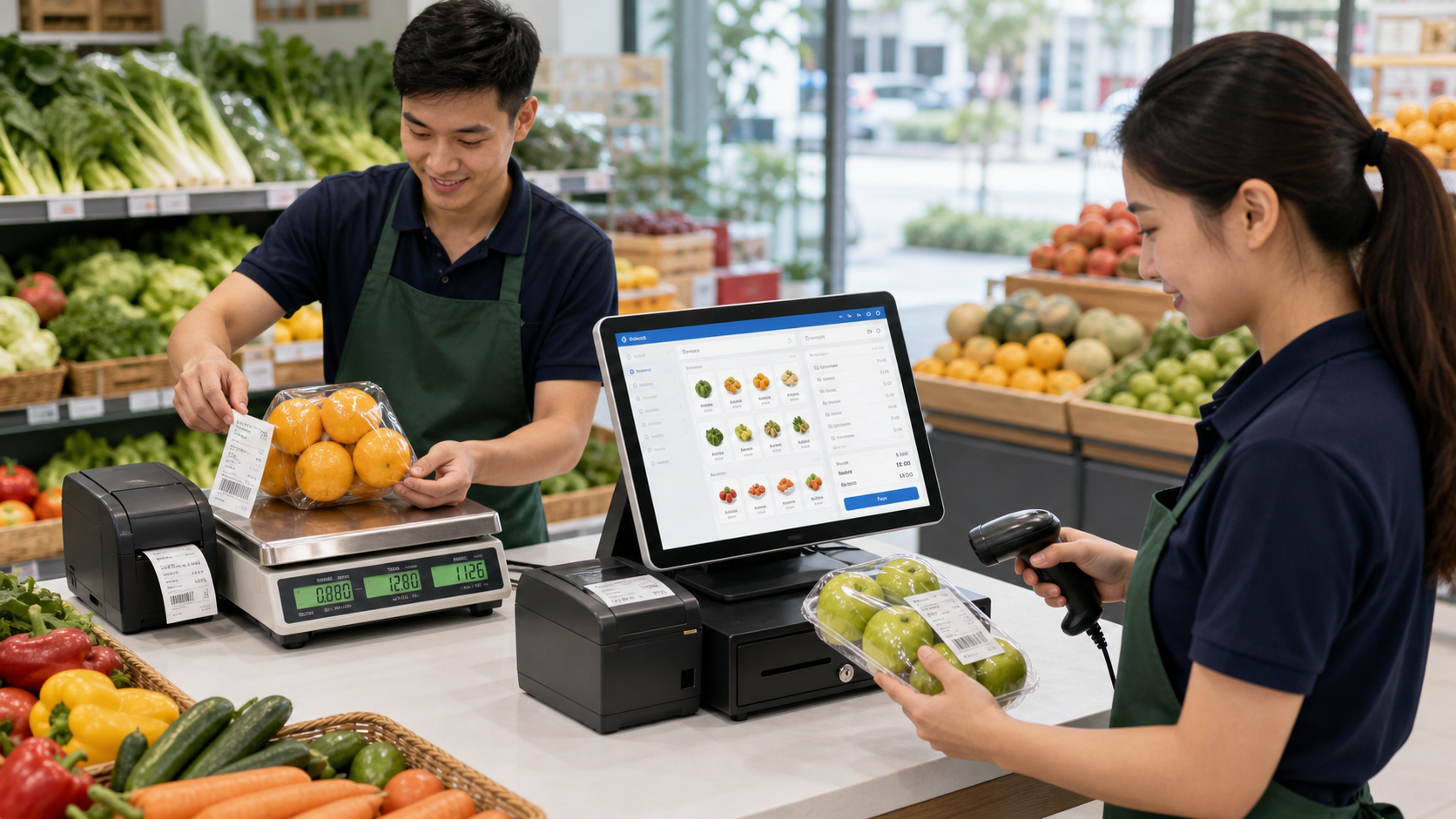
Fresh produce shops need fast weighing, accurate pricing, barcode scanning, stock control and practical daily reporting.
Connect a normal 15kg digital weighing scale to BMO POS so cashier can get the item weight during checkout.
Use a barcode-printing scale to weigh fruits or fresh items, print the label, stick it on the item and scan it at the counter.
Scan the printed barcode label at BMO POS so the item, weight and price can flow into the receipt faster.
Track item sales, cashier activity and daily movement for high-turnover weighted products.
BMO POS can support both a direct digital scale at the cashier counter and a barcode-printing scale workflow for fruits, vegetables and other weighted items.
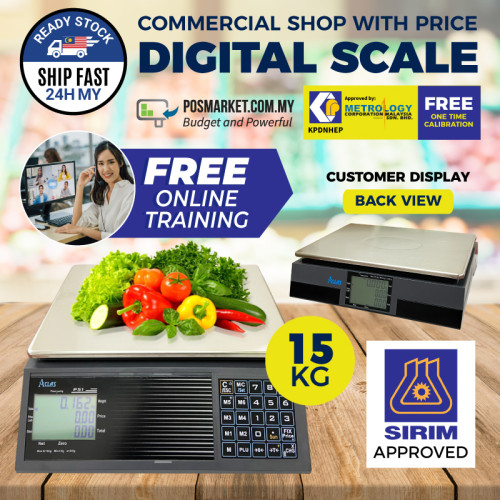
Use a normal 15kg digital weighing scale connected to BMO POS. Cashier places the item on the scale, BMO POS reads the weight, then calculates the weighted item price at checkout.
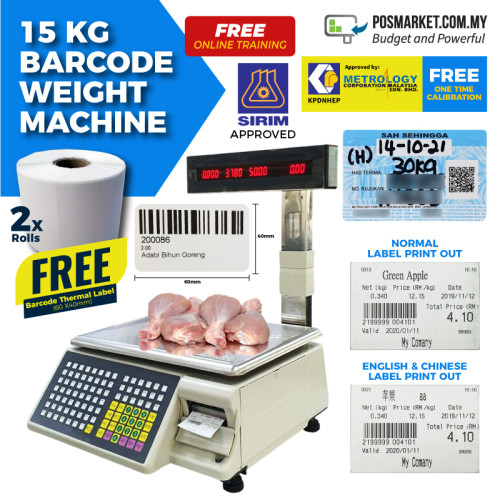
For shops that pre-weigh fruits or fresh items, staff can weigh the item, print a barcode label, stick it on the fruit pack, then scan the label at the BMO POS counter to pay.
Fresh Market standard bundle source lists RM4499 with barcode weight machine. Normal 15kg digital scale connection and barcode-printing scale options can be matched to the shop workflow.
Counter flow: place item on 15kg digital scale, BMO POS reads the weight, cashier confirms and collects payment.
Label flow: weigh fruit on barcode-printing scale, print barcode, stick label to item, scan at counter to pay.
Fresh item checkout with barcode scanner, receipt printer and optional cash drawer.
Stock receiving, adjustment, daily item and cashier sales reporting.
Use a direct 15kg digital scale for cashier weighing, or use a barcode-printing scale when you want staff to pre-label fruits and fresh items before checkout.