Scan From Table
Place QR codes on table cards, receipts or ordering points so customers can open the menu quickly.

POSMarket QR Ordering works with POS Web so customers can scan a QR code, open your online menu, select items, add options and submit orders from their mobile phone. The kitchen order page helps your team know what to prepare next.
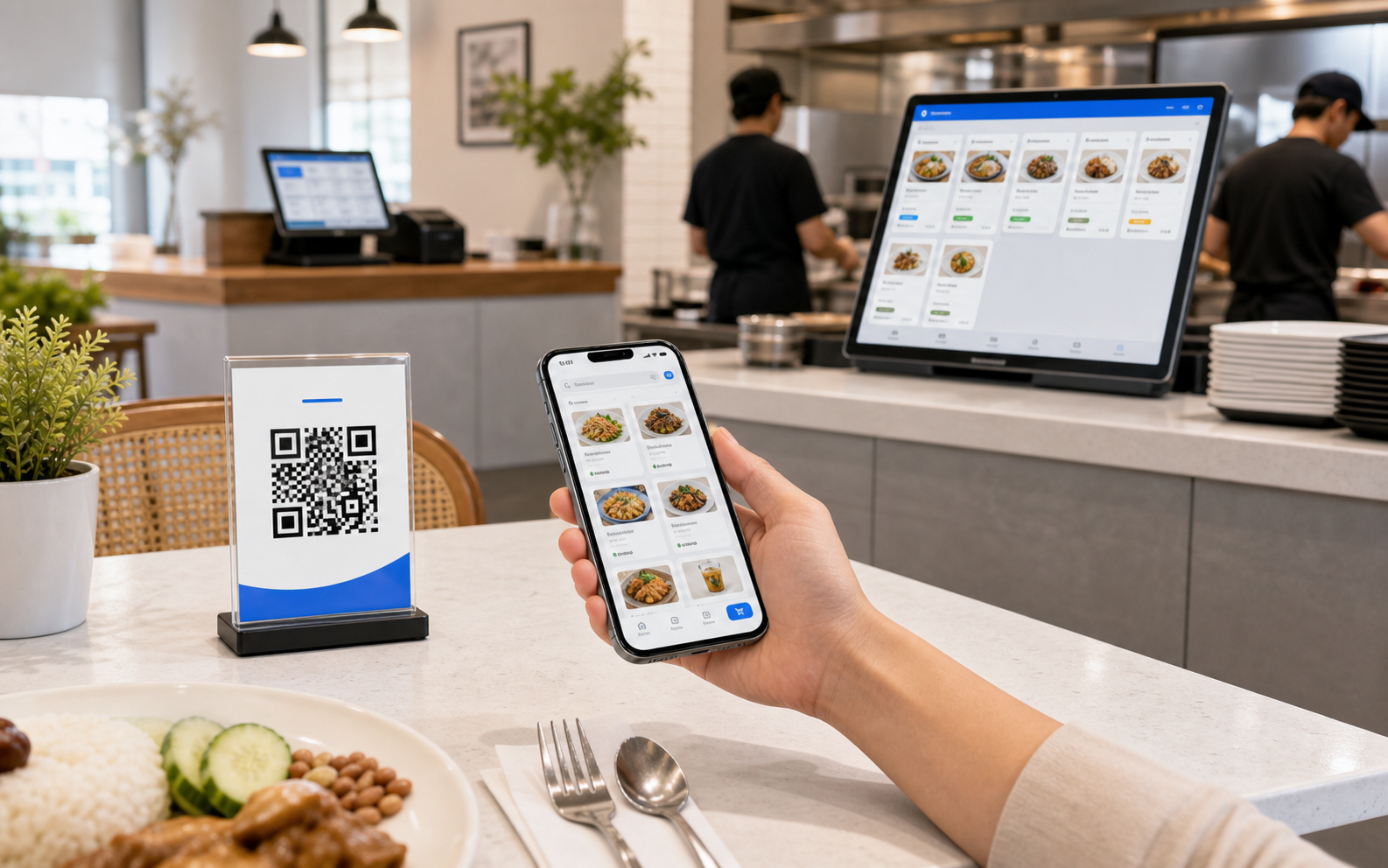
QR ordering lets customers use their own phone as the ordering screen. They scan a QR code, view the online menu, place an order and send it to the restaurant workflow.
Place QR codes on table cards, receipts or ordering points so customers can open the menu quickly.
Show categories, food items, drinks, options, add-ons and sets in a mobile-friendly menu flow.
Orders can be submitted through the cloud flow and received in the POS Web ordering workflow.
A kitchen order page helps the team see incoming orders and what needs to be prepared.
Simple enough for customers, structured enough for your staff.
Customer scans the table, receipt or ordering QR code with their phone.
Customer views the online menu, photos, categories, items and available options.
Customer selects quantity, add-ons, item sets or meal options and submits the order.
The order appears for the team to prepare through the POS Web and kitchen order workflow.
QR ordering should not only collect orders. It should help the kitchen act on them. The kitchen order page gives staff a preparation view so they can see incoming orders, group work and reduce verbal handover.
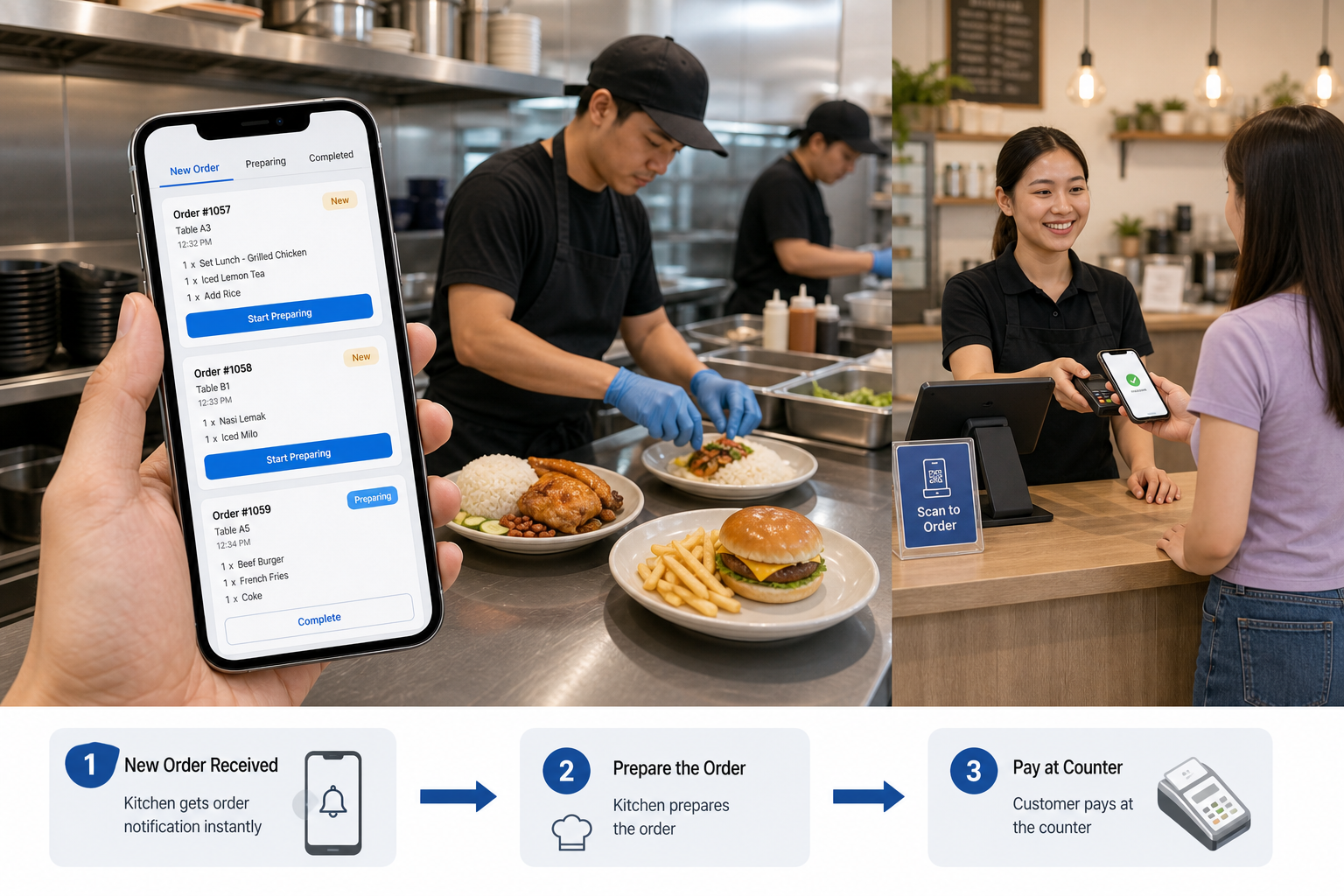
After the customer submits an order from their phone, the kitchen can receive the new order notification and prepare items according to the order list. The cycle completes when the customer pays the bill at the counter.
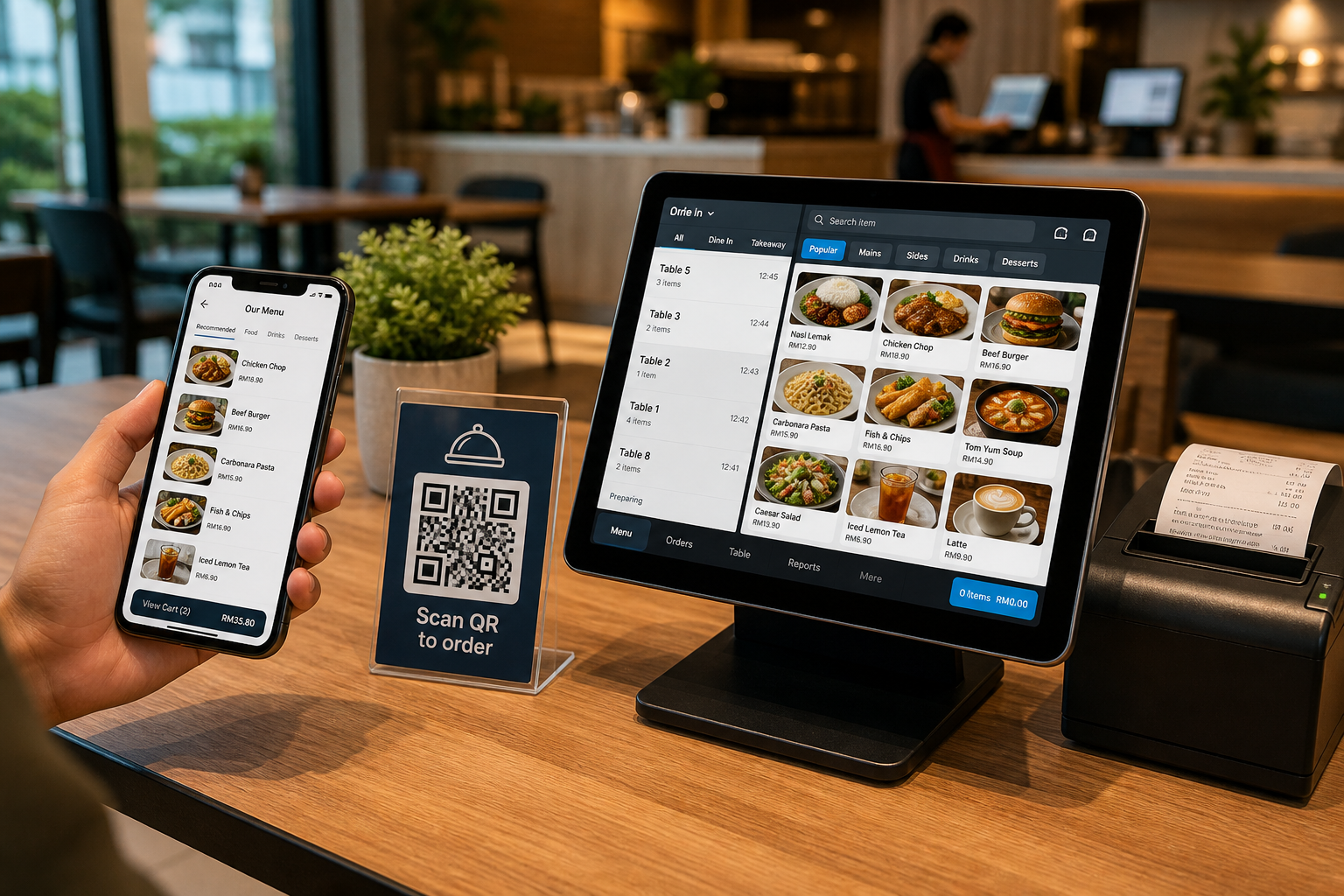
For POSMarket, QR ordering is part of the POS Web story. POS Web provides the cloud/browser POS flow, while QR ordering lets customers use their phone to send orders into the system.
The main value is not only “contactless”. It is smoother ordering, less waiting, fewer mistakes and better staff focus during peak hours.
Customers do not need to wait for staff to hand over a menu or take the first order.
Customers select directly from the online menu, reducing misheard items and unclear manual notes.
Staff can spend more time preparing, serving and helping customers who need attention.
Customers can browse categories, items, quantity, add-ons and meal sets from their phone.
Kitchen page and printer/queue workflows help the back-of-house team know what to make next.
Orders enter the POS Web ecosystem for reporting and outlet operation visibility.
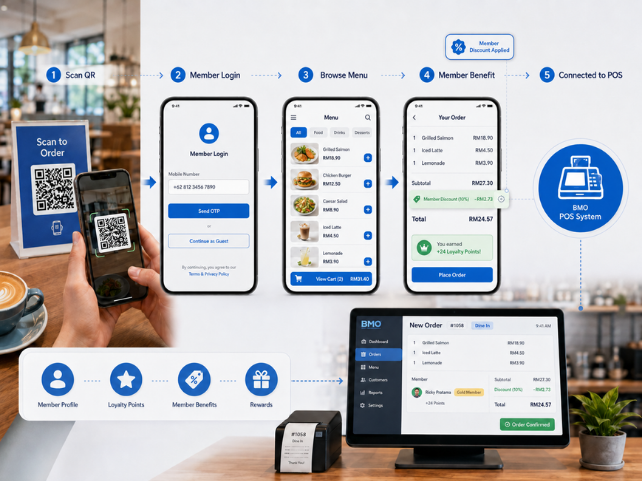
The existing BMO QR ordering flow can support membership ordering scenarios, including mobile number login and member discount workflows. This is useful for restaurants that want repeat customers to identify themselves before ordering.
Tell us your table count, menu structure, kitchen flow and whether you need item options, add-ons, sets or member ordering. We can recommend the right POS Web + QR ordering setup.