
sales@bizcloud.asia WhatsApp: +603 2780 3801 / +6016 450 2380 KL: +603 2780 3880 | PG: +604 2024 033 | JB: +607 4890 353
POS e-Invoice Malaysia

One e-Invoice flow for normal receipts and customer requests

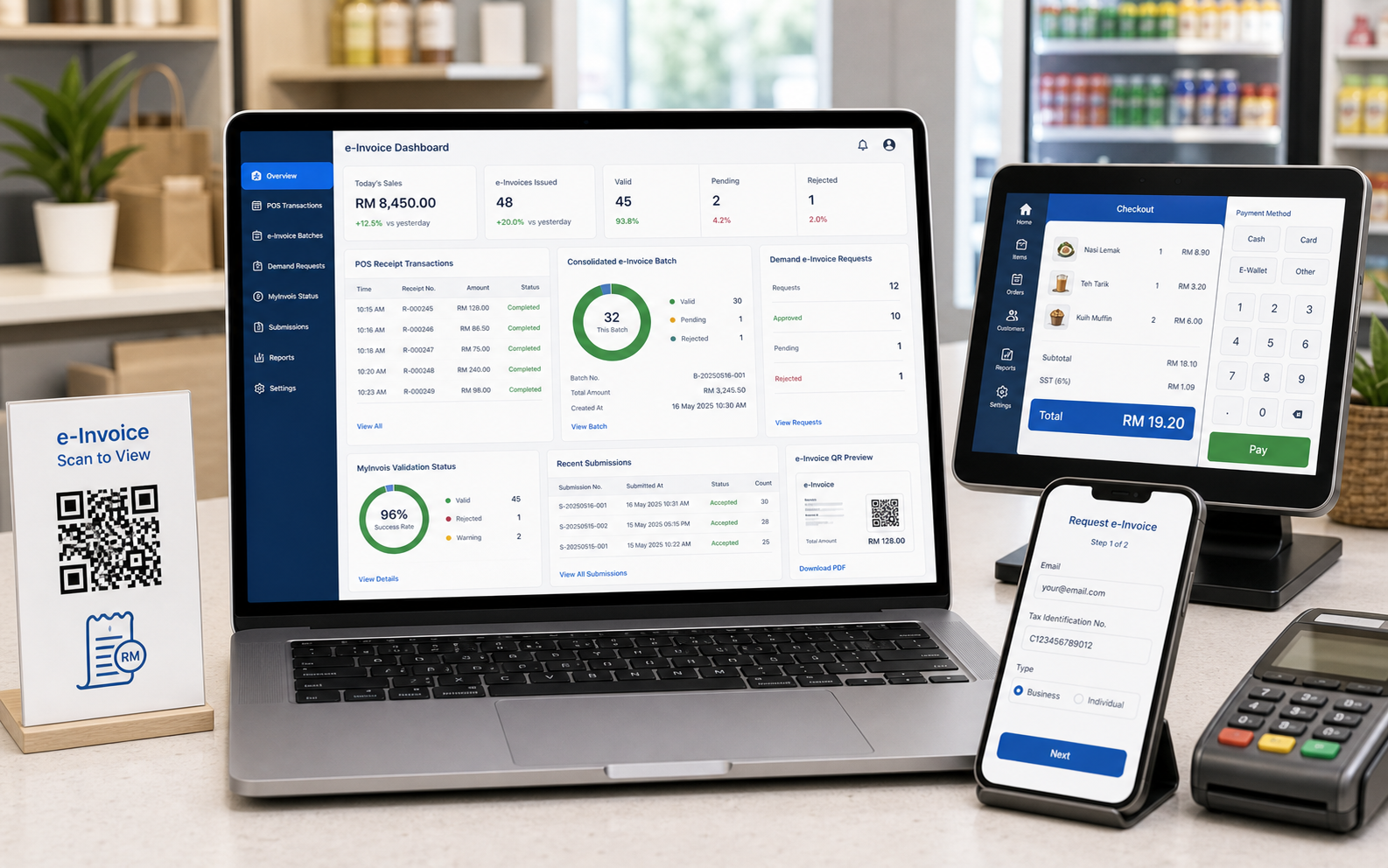
POSMarket helps SMEs handle two realities: most walk-in receipts can go into consolidated e-Invoice submission, while customers who request an individual e-Invoice can fill up an online demand form.

POS WebDemand and consolidate
HybridDemand and consolidate
FormCustomer requests e-Invoice
BatchConsolidated submission
POS e-Invoice dashboard with demand requests consolidated batch MyInvois status receipt transactions and customer request form

Choose the e-Invoice scenario that matches your POS setup

The old e-Invoice page explained three practical paths. We keep them here so business owners can compare offline, online demand and full POS plus accounting workflows clearly.

Scenario 1

Full Offline

For conventional POS users who want to prepare consolidated receipt reports and handle submission outside the POS system.

  • POS system exports consolidated POS receipt report
  • Client uploads the consolidated report through LHDN MyTax or an accounting system
  • No extra cloud charges required for the basic export workflow
  • Receipts requested as individual e-Invoice can be excluded
  • Multiple normal transactions can be submitted together as consolidated e-Invoices
  • Suitable for monthly or frequent retail transactions
Scenario 2

Online Demand

For POS users who want customers to request individual e-Invoice online while keeping normal receipts in a consolidated batch.

  • POS system supports online e-Invoice demand feature
  • Customer can request e-Invoice from a web page after purchase
  • Once requested, POS is notified and excludes that receipt from consolidation
  • Business owner can issue the individual e-Invoice through an accounting system
  • POS exports consolidated receipt report excluding demanded receipts
  • BMO POS Cloud is needed for this online demand workflow
Scenario 3

BMO POS + Cloud Accounting

For businesses that want the most connected workflow between POS, customer demand, accounting and e-Invoice management.

  • POS system supports online e-Invoice demand feature
  • BMO Accounting provides full e-Invoice functionality
  • Customer can request e-Invoice from the web page
  • Demanded receipts are excluded from consolidated e-Invoice batch
  • Business owner issues individual e-Invoice through BMO Accounting
  • POS and accounting are linked for cleaner reporting and submission
  • BMO POS Cloud and Accounting Module are needed

Do we need many e-Invoice pages?

No. The cleaner structure is three pages: overview, demand e-Invoice, and consolidated e-Invoice. Submission tracking and QR self-service can live inside those pages.

Overview

POS e-Invoice

Explains POS Web, Hybrid POS, demand requests, consolidated batches and MyInvois-ready workflow in one place.

Customer Request

Demand e-Invoice

For customers who ask for individual e-Invoice by filling an online form after purchase.

Normal Receipts

Consolidated e-Invoice

For receipts where no customer has requested individual e-Invoice, grouped into consolidated submission.

How The Logic Works

Separate demanded receipts before consolidation

The important POS logic is simple: when a customer demands an individual e-Invoice, that receipt should be marked and excluded from the consolidated e-Invoice batch.

  • Customer buys from POS Web or Hybrid POS
  • If customer wants e-Invoice, they fill up the online demand form
  • POS is notified and marks the receipt as demanded
  • Demanded receipt is processed as an individual e-Invoice
  • Remaining eligible receipts are prepared for consolidated e-Invoice submission
Normal receipt

No request from customer. Goes into consolidated batch.

Batch
Demand receipt

Customer filled form. Exclude from consolidation.

Form
POS Web

Cloud POS supports demand and consolidation workflow.

Web
Hybrid POS

Hybrid deployment supports demand and consolidation workflow.

Hybrid

Recommended e-Invoice workflow pages

These pages are enough for the main menu while still supporting SEO and customer explanation.

POS e-Invoice

General explanation for POS Web, Hybrid POS, accounting and MyInvois-ready flow.

Demand e-Invoice

Customer fills online form and the receipt is excluded from consolidation.

Consolidated e-Invoice

Normal receipts are batched for consolidated submission and reporting.

Status Tracking

Submission tracking can be explained inside each workflow rather than becoming another menu page.

e-Invoice Setup

Use the right e-Invoice workflow for your POS setup

Tell us whether you use POS Web, Hybrid POS or BMO Accounting. We can recommend the right demand e-Invoice and consolidated e-Invoice workflow.