Auto deduct stock
When cashier scans and sells an item, BMO POS reduces inventory so stock quantity stays current.

BMO Retail POS helps shops sell faster while inventory updates immediately from sales, returns, receiving, stock counting and adjustments. Owners can keep stock movement visible instead of waiting for manual spreadsheets.
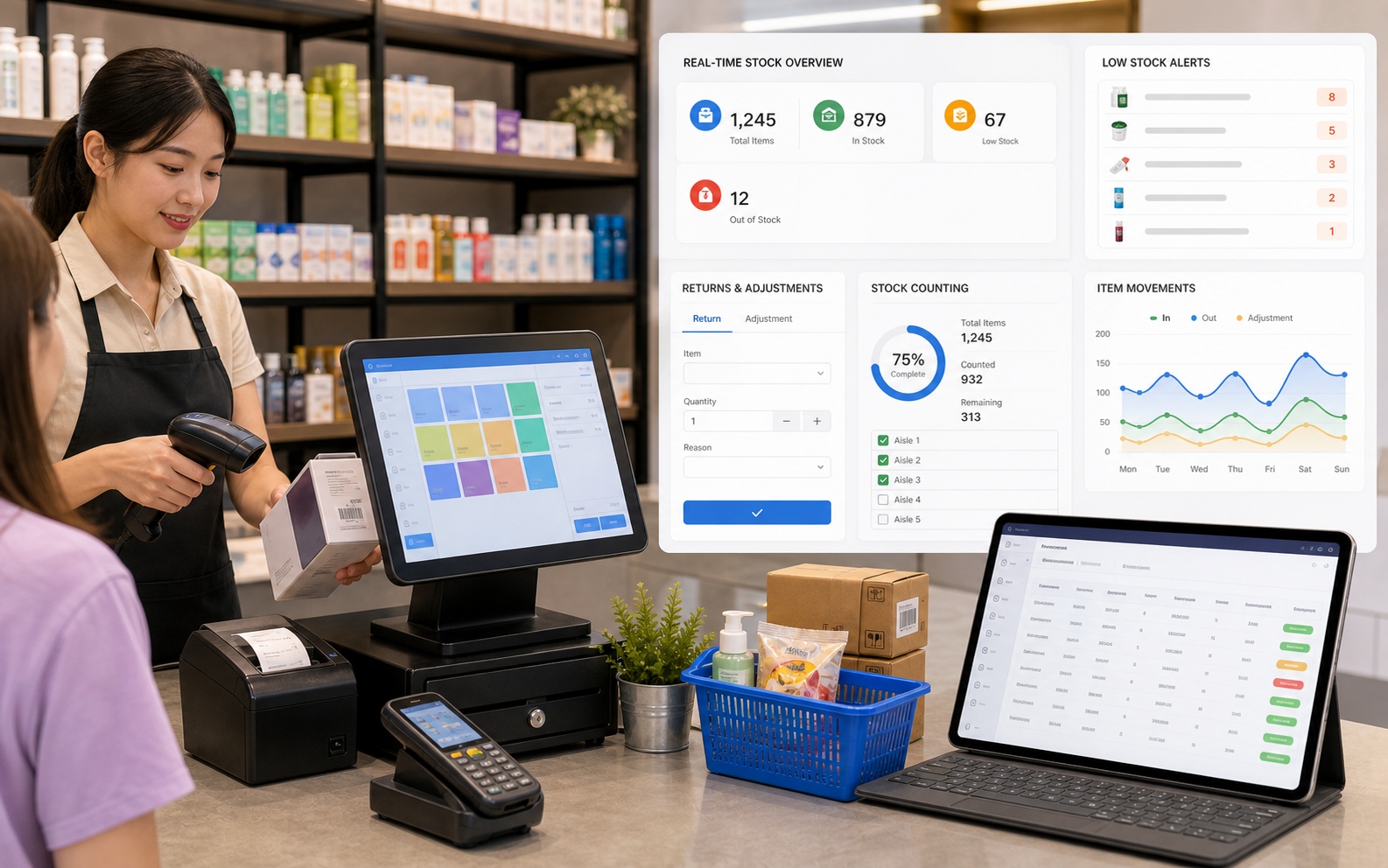
For retail, inventory control is not a back-office afterthought. Every cashier action should keep stock more accurate.
When cashier scans and sells an item, BMO POS reduces inventory so stock quantity stays current.
Returned products can be recorded properly so stock is added back or handled as damaged stock where required.
Run stock counting to compare physical quantity with system quantity and make controlled adjustments.
Record supplier receiving, purchase quantity or stock-in movement so item availability is updated for the counter.
BMO Retail POS gives shops a cleaner way to control item movement: sales deduct stock, returns and adjustments update stock, and stock counting helps find differences before they become bigger problems.
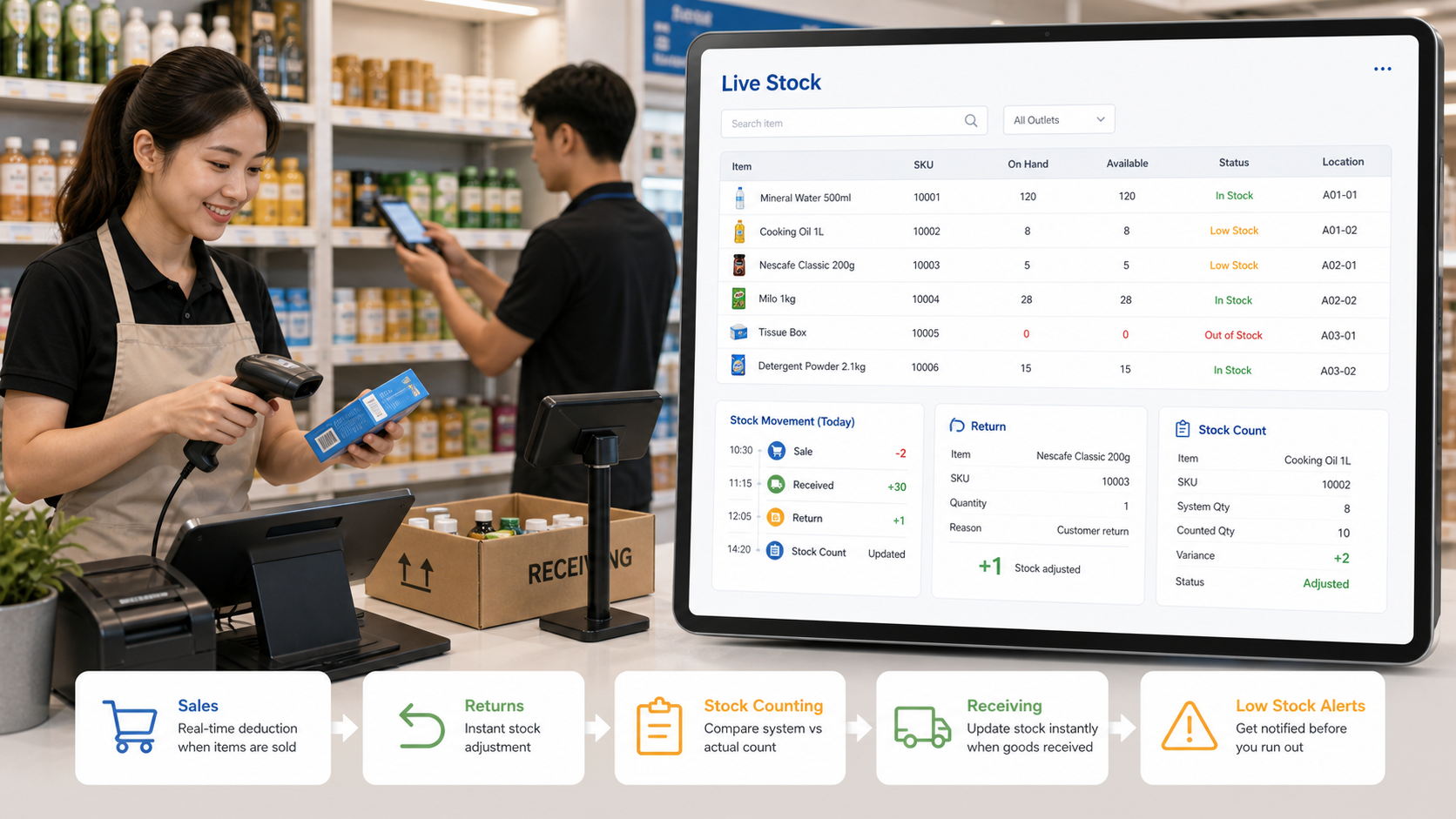
These are the practical inventory moments that matter most for shops, boutiques, stationery stores, toy shops and mini marts.
Cashier scans barcode, collects payment and BMO POS deducts quantity from inventory.
Returned products are recorded so stock can be added back or handled with the correct status.
Staff count physical stock and reconcile differences through stock counting and adjustment.
Owner checks low stock, fast-moving items, cashier sales and item movement reports.
Inventory is deducted when products are sold through POS.
Returned product updates stock movement so records stay traceable.
Physical count can be compared and adjusted against system quantity.
New supplier goods are entered into stock before selling.
Retail shops lose time when the cashier, store room and owner all work from different stock numbers. BMO POS keeps the selling counter connected to inventory control, so the shop can react faster to low stock, returns and item movement.
Talk to POSMarket about barcode setup, item import, stock count process, return handling and reporting for your retail outlet.